Sometimes when I get a few hours to play, well a few minutes to play, I like to take an image and just see what I can come up with.
Today I attended the funeral of our neighbor whom we have lived by for 30 years or so and since we knew all of the family quite well I went to the cemetery after the services at the church and arrived just as the flowers were being taken to the grave side. I quickly photographed them and then photographed family and friend as they arrived.
So tonight after color correcting the images and preparing a cd for the family I decided to play with one of the flower images that I had taken and was including with the cd. The only problem was that I couldn't stop myself after getting started. Below you will see what I mean, or most likely have already seen what I mean.
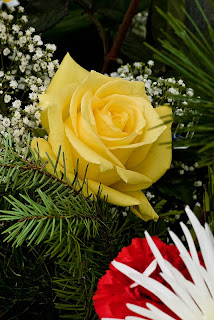
This is the original image.
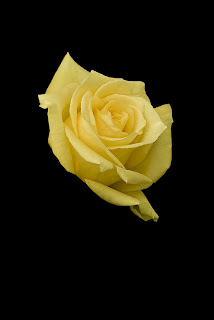
I then duplicated the layer, added a layer in between, filled it with black, then added a mask to the top layer and masked out all but the rose. I also had to use the band-aid tool and remove a few of the pine needles that were in front of the rose petals.
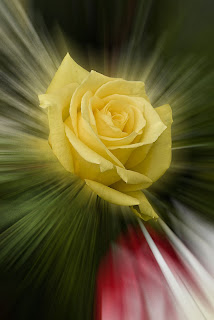
After flattening the layers and saving the second version I went back into the history pallet and got all of the layers back so I could make a few more changes. This is actually the process I would follow after saving each version, that way the original mask that I had made for the second image was used in each of the following versions. Quite a time saver (when you remember to do it.) I then duplicated the bottom layer again, removed the black layer and did a radial blur on the new duplicate layer.
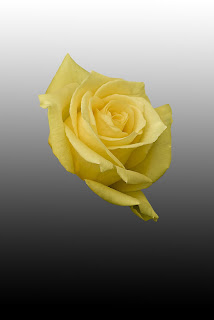
For this version I simply did a black to white gradient on the new layer. Left the poor rose just floating above it.
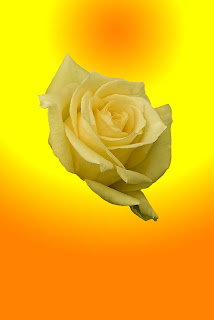
I decided to change to a color gradient and got this effect.
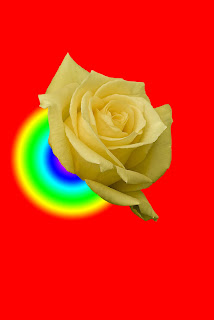
I then went to yet another gradient style and came up with this one and after several tries was able to locate it at the base of the rose. Gradients has not been in my used and totally learned section of my toolbox so that was part of the reason for playing with it here.
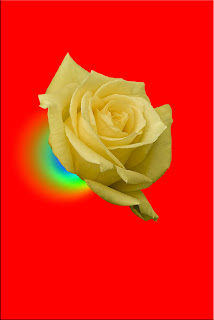
I duplicated the last gradient layer and did a radical radiant blur to it.
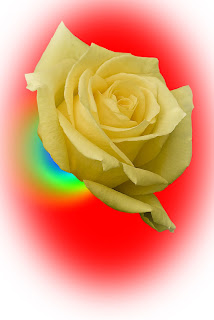
That was followed by adding a circular marquee with a refined edge effect, (not very well done, but I was just playing anyway) and filled it with a white layer.
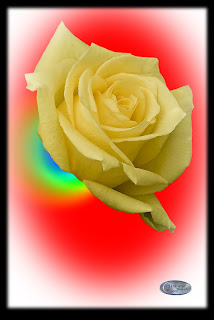
Finally I figured I had played enough and added a black border with my logo and called it quits. It was a fun evening though and I learned how to use the gradient tool a little better.


 These two were probably one of my best catches yet. Both in about the top of their jump and both at the same time. Not an easy thing to do.
 In this one the trick was the fact that both of them were literally turning around during the action but I luckily caught it at the right time.


 It does take practice because yo only have a split second to get the shot when they are in the air. I find myself having to push the shutter a half a pulse before I want to and then I get the shot pretty good.
 Lay down on the floor and shoot up for the illusion that the person is really jumping high.
 Yes this one was actually two of us timing it perfectly. I can't jump, cross my legs and pull that kind of a pose in a split second in the air so that I won't break a lot of my body parts on the way down but he sure did it well.